Hello Team,
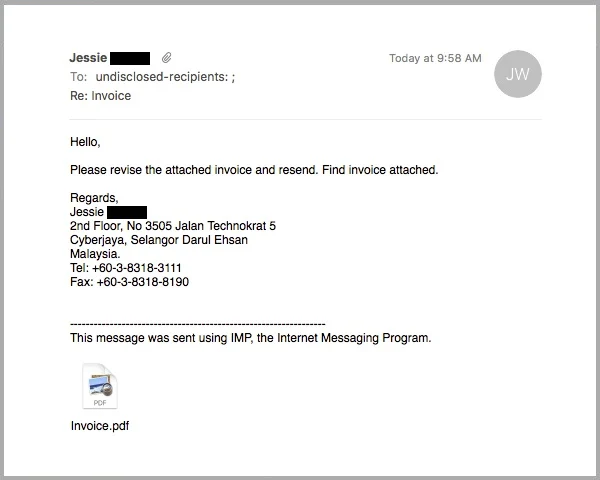
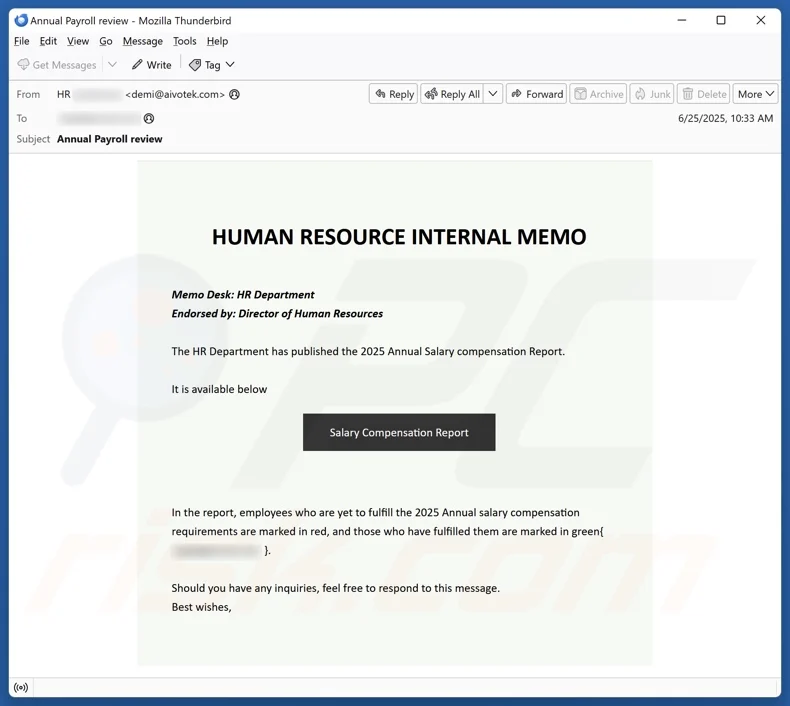
We want to remind everyone about a growing cybersecurity risk affecting healthcare organizations everywhere: spoofed and malicious emails.
These emails are designed to look real and may appear to come from:
- A coworker or manager
- A trusted vendor or software company
- Google, Microsoft, banks, or delivery services
Their goal is to trick you into clicking a link, opening an attachment, or entering login information.
Common Warning Signs to Watch For
Please be cautious if an email includes any of the following:
- Urgent or threatening language
- “Your account will be suspended today.”
- “Immediate action required”
- Unexpected links or attachments
- Especially ZIP files, PDFs, or “invoice” links you were not expecting
- Slightly wrong email addresses
- Example: support@g00gle.com instead of google.com
- Requests for passwords, codes, or personal info
- We will never ask for passwords by email
- Messages that feel “off.”
- Poor grammar, odd wording, or pressure to act quickly
What You Should Do
- Do NOT click suspicious links or attachments
- Do NOT reply to suspicious emails
- Report it immediately to management or IT
- When in doubt, ask before clicking
It is always better to double-check than to accidentally expose our systems or client information.
Remember
Cybersecurity is a team effort. One click can impact the entire organization — but one careful pause can prevent it.
Thank you for helping keep our systems, clients, and patients safe.